Your progress is saved in this browser.
Before you start
- The affected app
- Internet access if that app needs it
- A trusted person to send a test message if useful
Follow one step at a time.
Try the step, then choose Done — next step. You can go back or pause.
5 steps
Check why a phone alert did not appear
Step 1 of 5: Open the app itself
Check whether the expected message or event is inside the app. If it is missing there too, investigate delivery, account or connection rather than only notifications. Confirm the app is signed in to the right account.
✓ Step complete.
Step 2 of 5: Check quiet modes
Look for Focus or Do Not Disturb and any schedules that enable them. iPhone uses Focus controls; Android menus vary. Temporarily adjust the relevant mode for an agreed test, while keeping any important exceptions in mind.
✓ Step complete.
Step 3 of 5: Review that app’s permission
iPhone: Settings, Notifications, then choose the app. Android: Settings, Notifications or Apps, then the app’s notification controls. Check that notifications are allowed and the required category is enabled. Different alert types may have separate switches.
✓ Step complete.
Step 4 of 5: Check appearance and sound
A notification can be allowed but silent or absent from the Lock Screen. Review banner, sound and lock-screen options. Consider privacy before showing message content on a locked screen where other people can see it.
✓ Step complete.
Step 5 of 5: Send one fresh test
Arrange a fresh message or event. If it fails, check the app’s alert settings and update it. Battery-saving or background restrictions can affect alerts; consult the app and manufacturer’s guidance.
✓ Step complete.
Next marks this step done.
You’ve finished this guide.
You can practise again anytime.
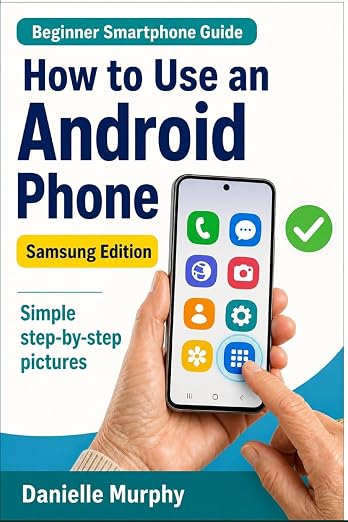
Prefer these instructions on paper?
100 lessons in 10 sections, with large screenshots and highlighted controls.
See book and sample pagesPractice task
Find one app’s notification setting and test it with a fresh, agreed message.
Marking steps done saves progress; it does not check your device.
Questions
Will enabling alerts bring back old notifications?
Not always. Test a new event, and find older messages inside the app instead of expecting every previous alert to reappear.
Official help
Menus vary by model and software version.