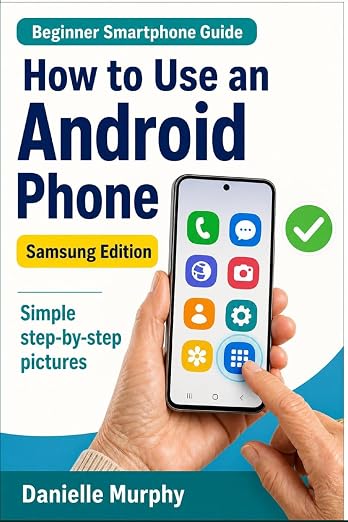
How to Use an Android PhoneSamsung Edition
Learn your Samsung phone, one small task at a time. Keep a printed guide beside you while you follow the pictures and practise.
See three sample pages below, then check current price and delivery options on Amazon.
See the pages before you choose.
Three actual pages from the paperback, showing the pictures and instructions you can follow beside your phone. Select a page to enlarge it. Each is one page from a longer lesson.
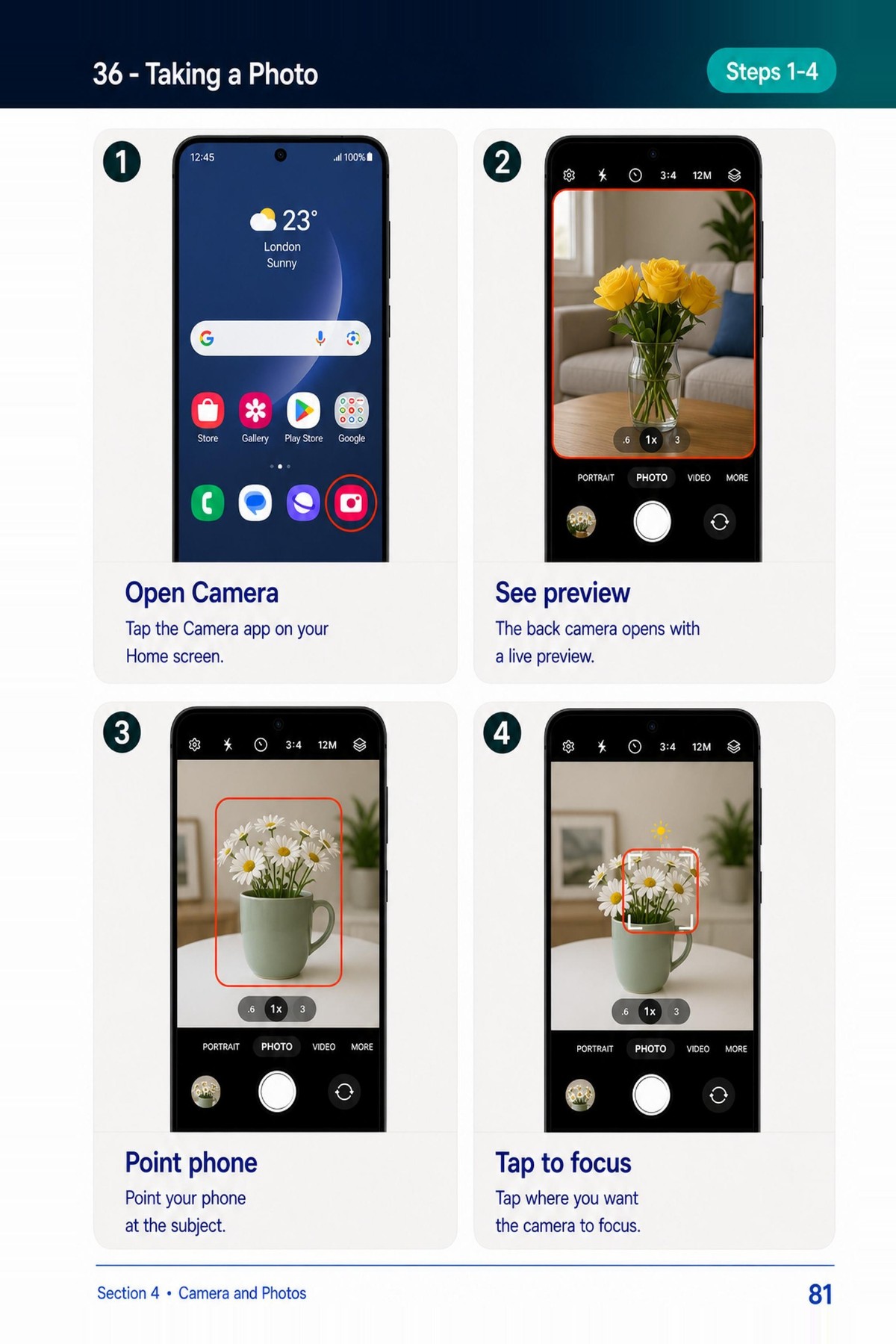
Taking a photo
Paperback page 81
Enlarge page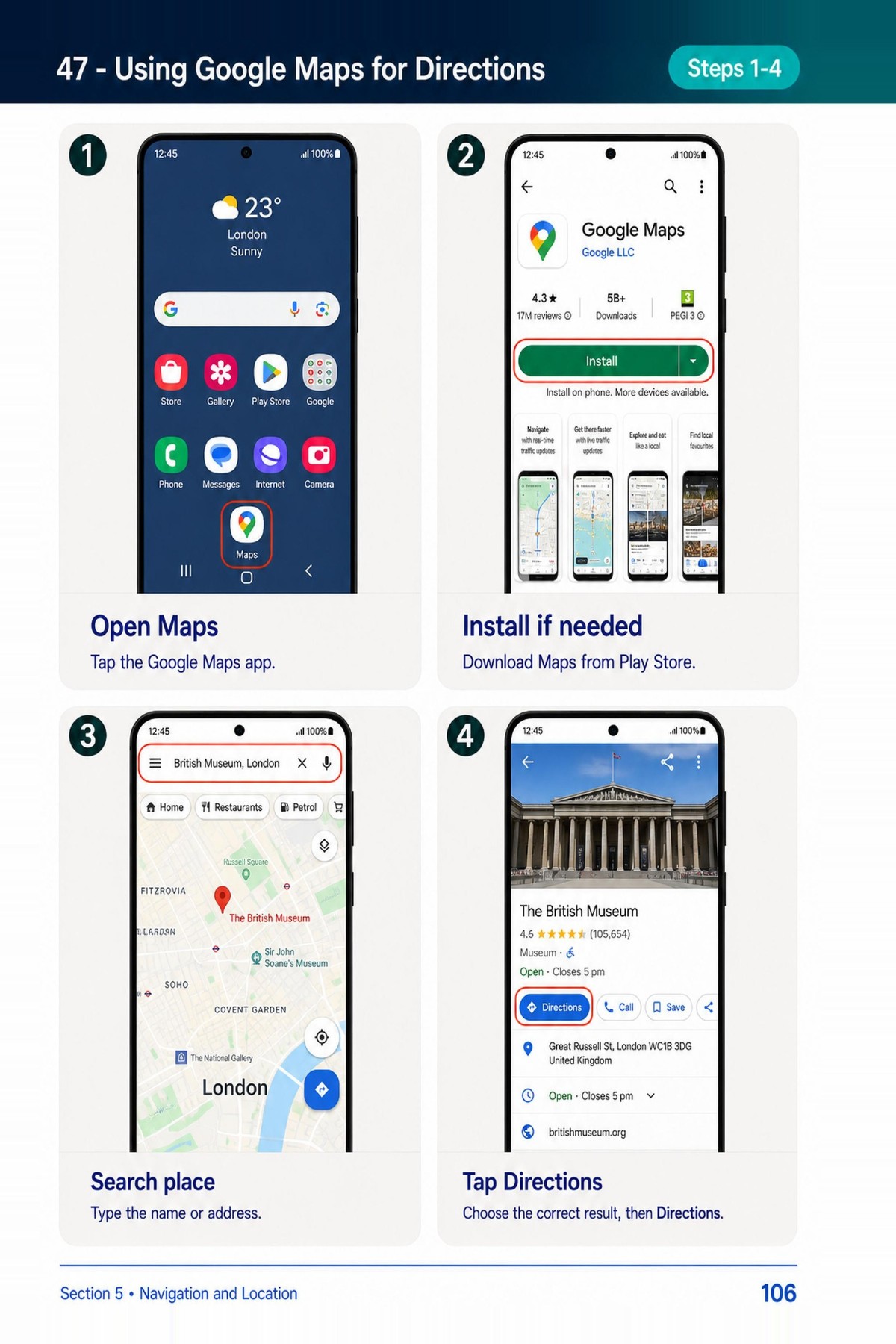
Using Google Maps
Paperback page 106
Enlarge page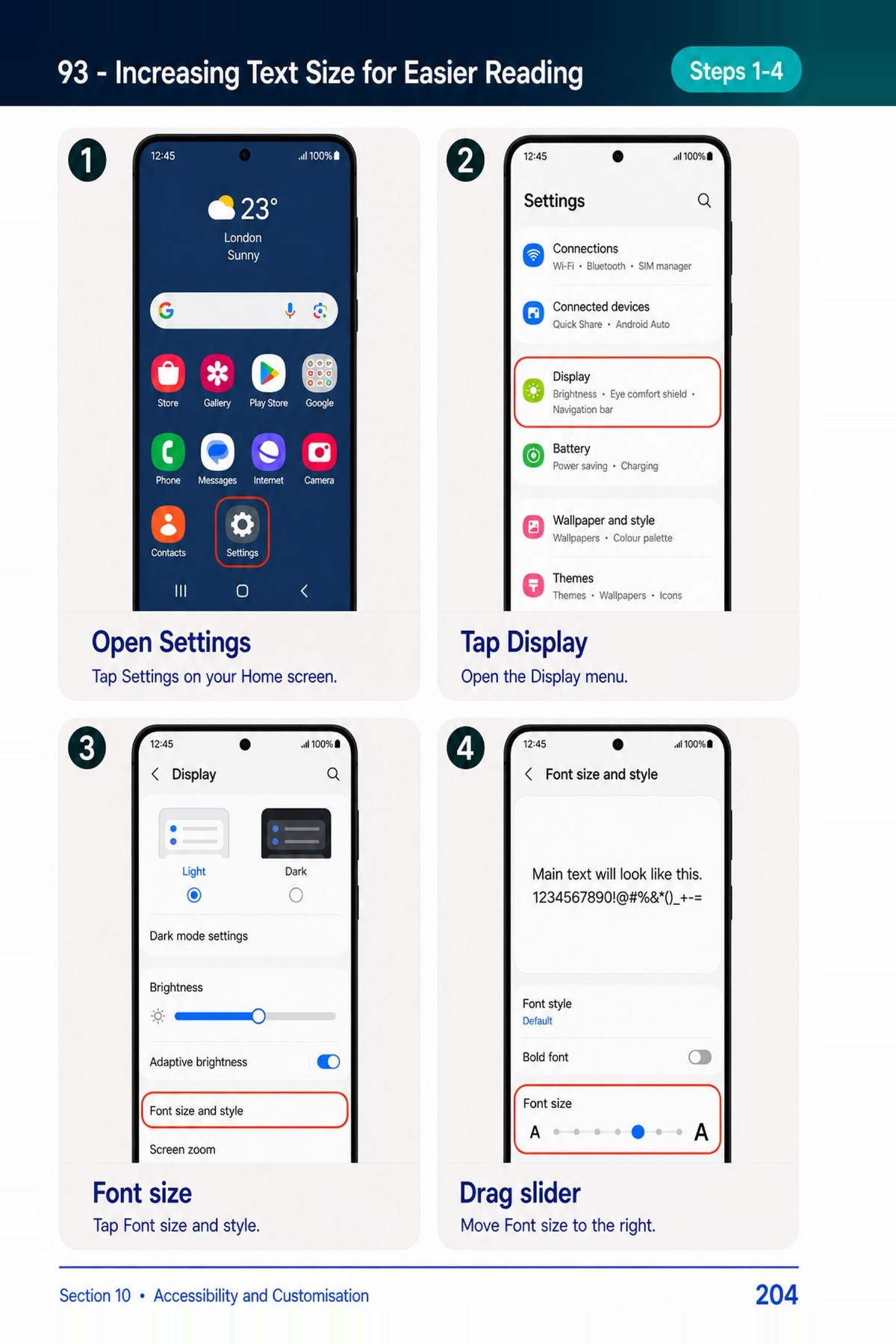
Making text larger
Paperback page 204
Enlarge pageFor the full Amazon preview, choose Read sample on the listing. Current price and delivery options are shown there.
Clear pictures. A pace that suits you.
The book uses large screenshots and red outlines to help readers recognise buttons and menus. Its lessons cover everyday tasks you can return to when you need a reminder.
Who is it for?
Complete beginners, older adults, and people who want a practical reference for their Samsung Galaxy phone.
Helping a parent or grandparent?
Choose one task together, let them do the tapping, and keep the matching lesson open beside the phone.
From the first screen to useful everyday tasks.
- 01
First setup
Wi-Fi, the Home screen, screen locks, and basic settings.
- 02
Keeping in touch
Calls, contacts, texts, Gmail, and video calling.
- 03
Shopping and payments
Online shopping, banking apps, and phone payments.
- 04
Photos and the camera
Taking, finding, editing, and sharing pictures.
- 05
Getting around
Google Maps, directions, and useful locations.
- 06
Staying safer online
Scam messages, app permissions, and browsing checks.
- 07
Entertainment
Apps, music, videos, reading, and podcasts.
- 08
Keeping organised
Calendars, notes, alarms, and documents.
- 09
Managing the phone
Bluetooth, storage, updates, and battery settings.
- 10
Making it comfortable
Larger text, magnification, and accessibility controls.
Start with the phone in front of you.
Use our free Samsung first-steps route to practise five everyday tasks. Each website lesson has a printable copy.
Try the free Samsung lessonsPrefer the complete paperback?
Explore the contents and sample pages, then check current price and delivery options on Amazon.
View the book on AmazonBefore you choose.
Which phones is this book for?
The book focuses on Samsung Galaxy phones. Menus can differ by model and software version. Compare the sample pages with your phone’s screens before choosing.
Can I see some pages first?
Yes. Look at three sample pages here, or open the Amazon listing and select Read sample for its preview.
Can I use the website without buying the book?
Yes. Plaintech’s online lessons, learning paths, and printable website guides are free to use.
Paperback · English · ISBN 9798197531827 · Published 18 May 2026. Book details checked against the Amazon listing.